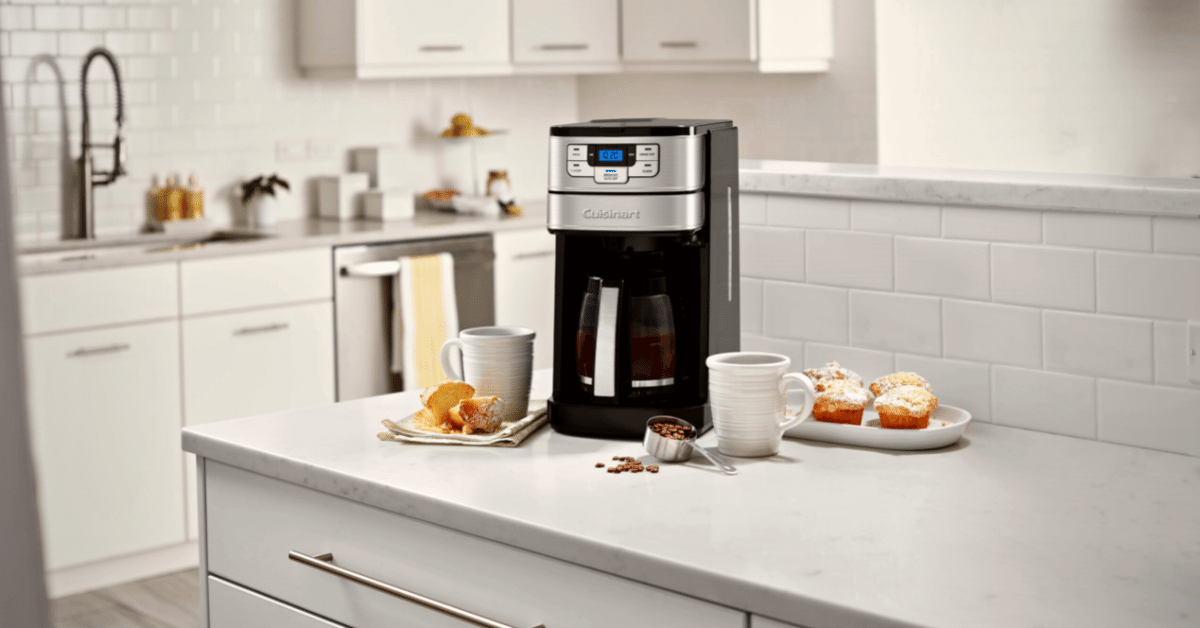
If your Cuisinart coffee maker is not working, first unplug it, confirm the exact model number, and check the reservoir, basket, carafe, and outlet. Most drip-brewer problems come from incorrect assembly, an overflowing filter basket, mineral buildup, or a programmed setting—not a universal error that one reset can solve.
Cuisinart makes drip brewers, grind-and-brew machines, single-serve brewers, and Coffee Center combinations. Buttons, clean cycles, and error codes differ, so use the symptom checks below and then confirm any model-specific sequence in your manual.
Cuisinart Troubleshooting Quick Chart
| Problem | Check first |
|---|---|
| Will not turn on | Outlet, plug, power switch, programmed auto-off |
| Will not brew | Water level, carafe position, basket seating, delayed-brew setting |
| Slow or partial brew | Mineral scale, clogged basket, charcoal filter installation |
| Basket overflows | Too much/fine coffee, two filters, carafe lid not opening basket valve |
| Leaks water | Overfilled reservoir, carafe/drip tray, cracks, machine base |
| Clean light stays on | Complete the exact model’s clean cycle and fresh-water rinse |
| Grinder will not run | Bean hopper lock, oily beans, chute blockage, grind-off setting |
| Clock/program lost | Power interruption; reset differs by model |
1. Cuisinart Coffee Maker Will Not Turn On
- Unplug the brewer and test the outlet with another small appliance.
- Reconnect the plug directly rather than through an extension cord.
- Press the model’s power or Brew/Off control once.
- Check whether an automatic-off time has elapsed.
- Leave an overheated machine unplugged until it has cooled.
Some programmable models retain settings briefly after a power interruption; others require the clock and program to be entered again. If the outlet works but the display and controls remain completely dark, stop troubleshooting internally and contact Cuisinart.
2. It Turns On but Will Not Brew
- Fill the reservoir without exceeding its maximum line.
- Seat the filter basket and basket holder fully.
- Place the carafe squarely on the warming plate with its lid attached.
- Confirm that Delay Brew is not waiting for a programmed time.
- For single-serve models, close and lock the brew head and check the drip tray.
If the machine hums but little or no water moves, mineral buildup may be restricting flow. Do not repeatedly start empty cycles; follow the cleaning procedure for the exact model.
3. Coffee Brews Slowly or Stops Early
Slow brewing is a common sign of mineral buildup, but first make sure the basket is not packed with very finely ground coffee and the charcoal filter is installed correctly. Then clean or decalcify the brewer.
Cuisinart’s current cleaning guidance notes that models vary. Many self-cleaning machines use a three-parts-water to one-part-vinegar mixture and a Clean button, followed by a full fresh-water cycle. Some manuals specify a different sequence or cleaner. Remove the charcoal water filter before running a vinegar solution and use the instructions for your model.
4. Filter Basket Overflows
- Switch the machine off and unplug it before clearing hot grounds.
- Use either the permanent gold-tone filter or a compatible paper filter unless the manual explicitly allows both.
- Reduce the coffee dose and use a medium grind for drip brewing.
- Make sure the paper filter is open and seated flat, not folded over.
- Confirm the carafe lid is installed; on many drip brewers it opens the basket’s drip-stop valve.
- Clean the basket outlet and drip-stop valve after they cool.
Do not remove the basket while it contains hot water. If the basket repeatedly overflows with the correct filter, dose, grind, carafe, and lid, replace a damaged basket or valve rather than forcing it.
5. Cuisinart Coffee Maker Is Leaking
Dry the machine and counter so you can identify where fresh water appears. Check for an overfilled reservoir, a cracked carafe, a loose or missing carafe lid, an overflowing basket, or a full single-serve drip tray.
Unplug the machine immediately if water comes from beneath the casing or reaches the cord or outlet. Do not open the base; internal water and mains electricity require professional service.
6. Clean Light Will Not Turn Off
A Clean or decalcify indicator normally means the brewer has counted enough use to request mineral removal. The light often clears only after the complete programmed cleaning cycle finishes—not after a normal brew with vinegar.
- Find the model number on the bottom or rear label and download its manual from Cuisinart.
- Remove coffee, grounds, and the charcoal filter.
- Use the solution and Clean-button sequence stated for that model.
- Let the cycle finish without interrupting power.
- Run the required fresh-water rinse and reinstall a fresh filter if due.
If the light returns immediately after a correctly completed cycle, repeat only if the manual advises it. Otherwise contact support; do not assume an unrelated reset sequence applies.
7. Coffee Tastes Weak, Bitter, or Wrong
- Use fresh coffee and a medium drip grind.
- Start near two level tablespoons per 6 fluid ounces of water, then adjust to taste and brewer capacity.
- Wash the carafe, basket, and reusable filter with warm soapy water to remove coffee oils.
- Replace the charcoal filter at the interval in the manual; Cuisinart commonly recommends about 60 days or 60 uses.
- Decalcify when the Clean indicator appears or flow slows.
8. Grind-and-Brew Grinder Problems
Unplug the machine before handling the hopper or chute. Confirm the bean hopper is locked, the grind-off setting is not selected, and beans can move into the burrs. Very oily beans can cling together and coat the chute; clean removable grinder parts exactly as the manual allows. Never put water into a burr grinder or reach into it with the machine connected.
Error Codes, Beeps, and Resetting
Cuisinart does not use one universal error-code or reset system across every coffee maker. Record the exact letters, numbers, light pattern, and model number. A brief power reset—unplugging for several minutes—can clear a temporary control state, but it will not repair a clogged water path, failed heater, damaged sensor, or leaking component.
Use the manual linked from the exact product page or contact Cuisinart at 1-800-726-0190 when the code persists, the machine repeatedly trips power, smells burnt, leaks from its base, or heats without pumping.
Prevent the Next Problem
- Empty grounds and rinse the basket after each use.
- Wash the carafe and removable parts regularly.
- Keep the water reservoir below the maximum line.
- Replace the charcoal filter on schedule.
- Run the model’s cleaning cycle when indicated.
For more drip-brewer care, see our guide to cleaning a coffee maker and the broader coffee-maker resource hub.